
Getting Started with the Sportal App
Create your account, join teams, organize events, and find pickup games in your area.

Create Your Account
Download the app and set up your profile
- Download the app from the iOS App Store or Google Play Store
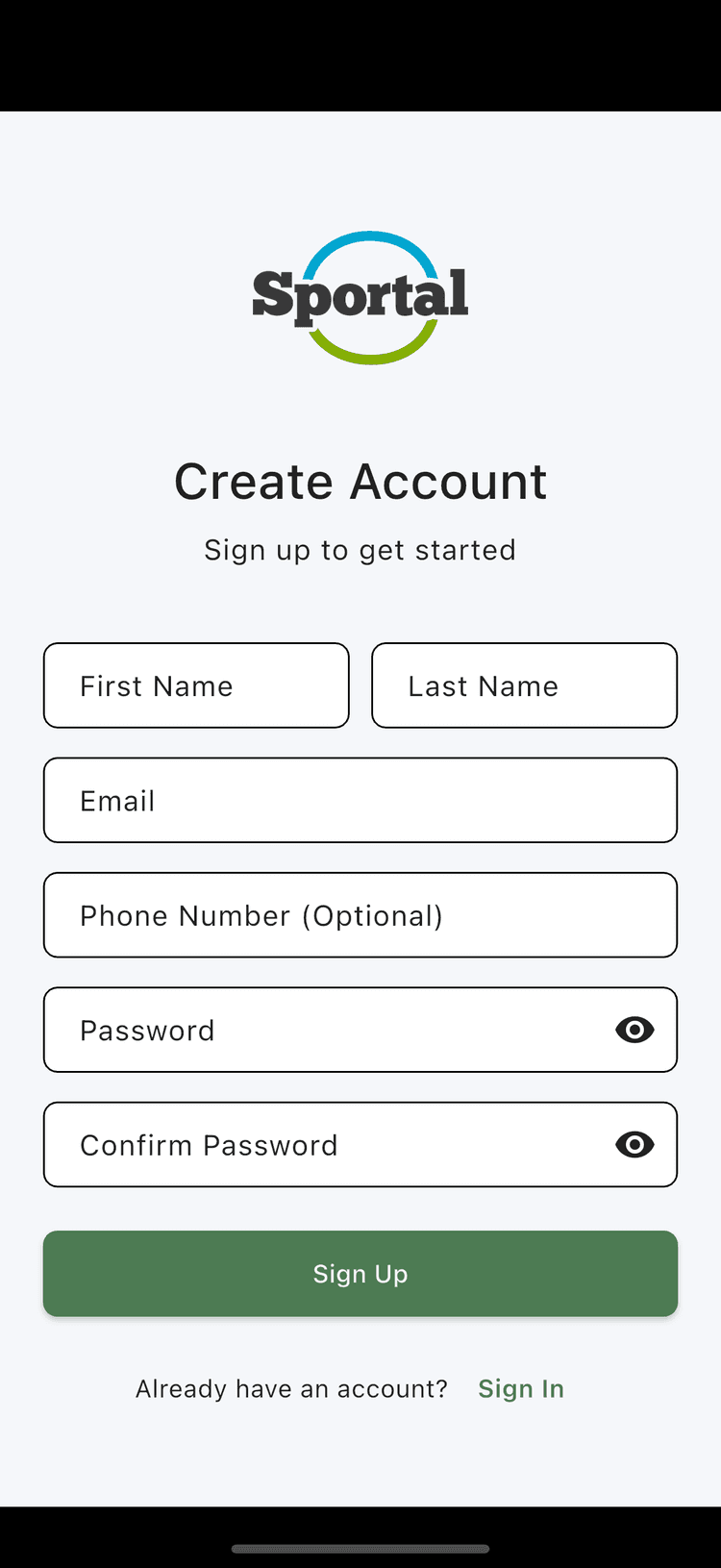
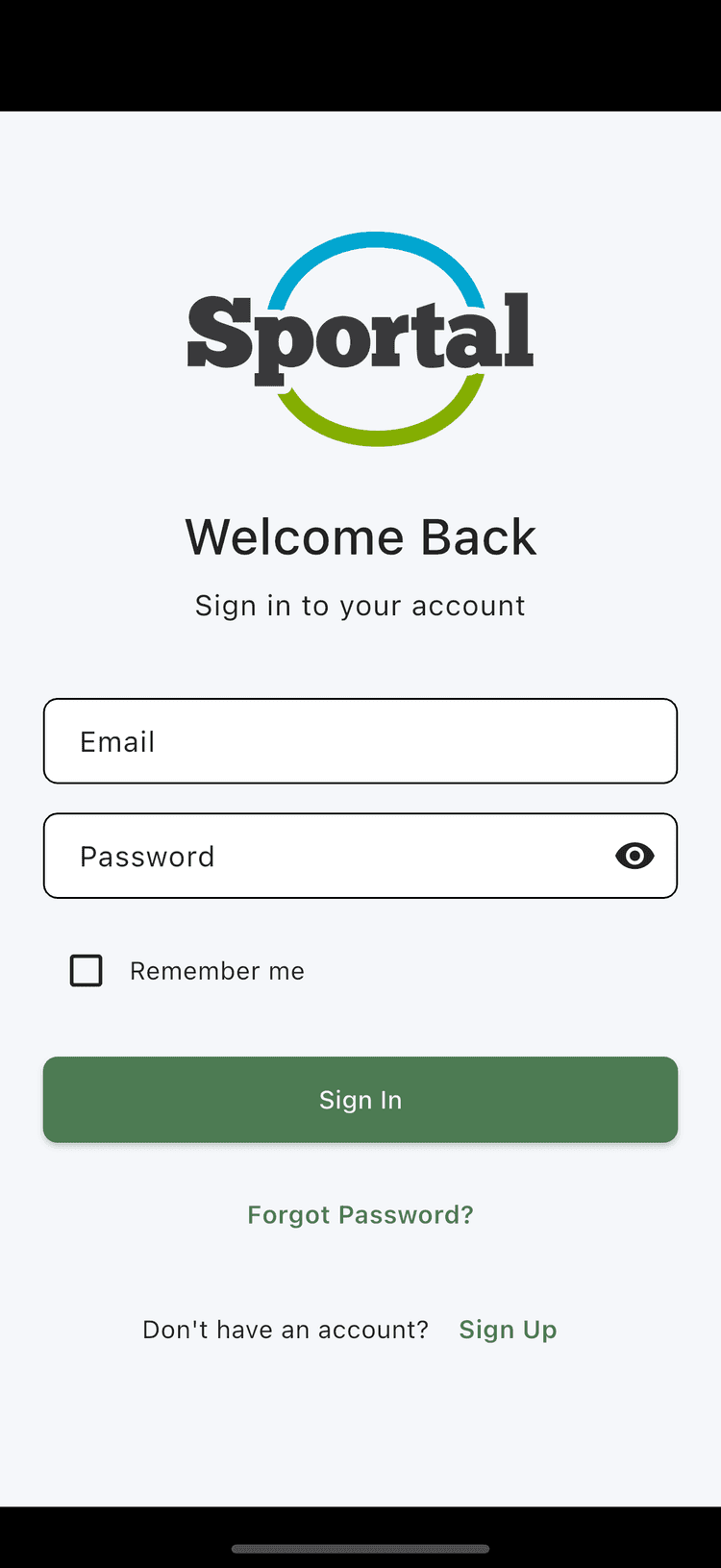
- Sign In using your login credentials, or Sign Up and provide your profile info
- Enable notifications so you don't miss event invitations
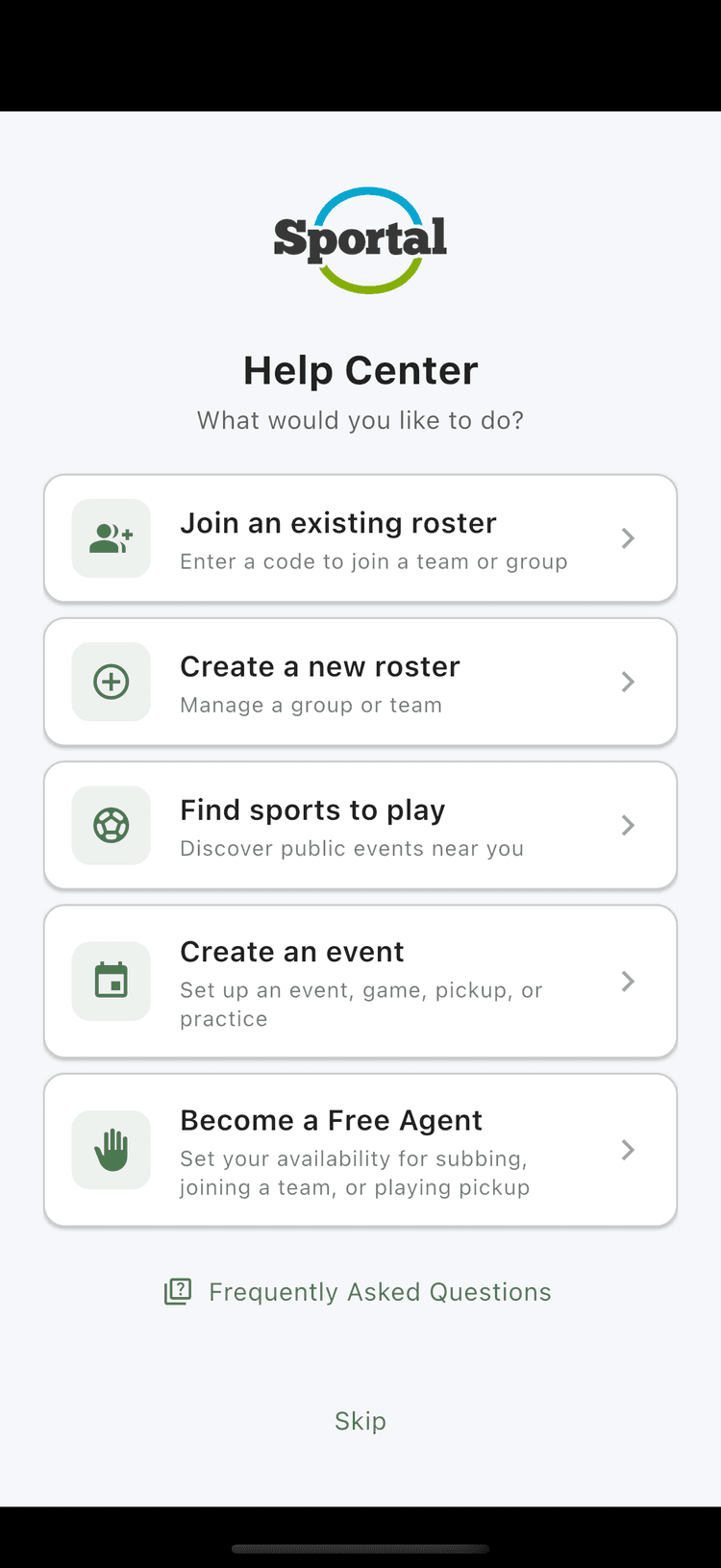
- Use the Help Center to decide what you'd like to do next
Join or Create a Roster
Connect with your team or start your own
Joining an Existing Roster
There are two ways to join a roster:
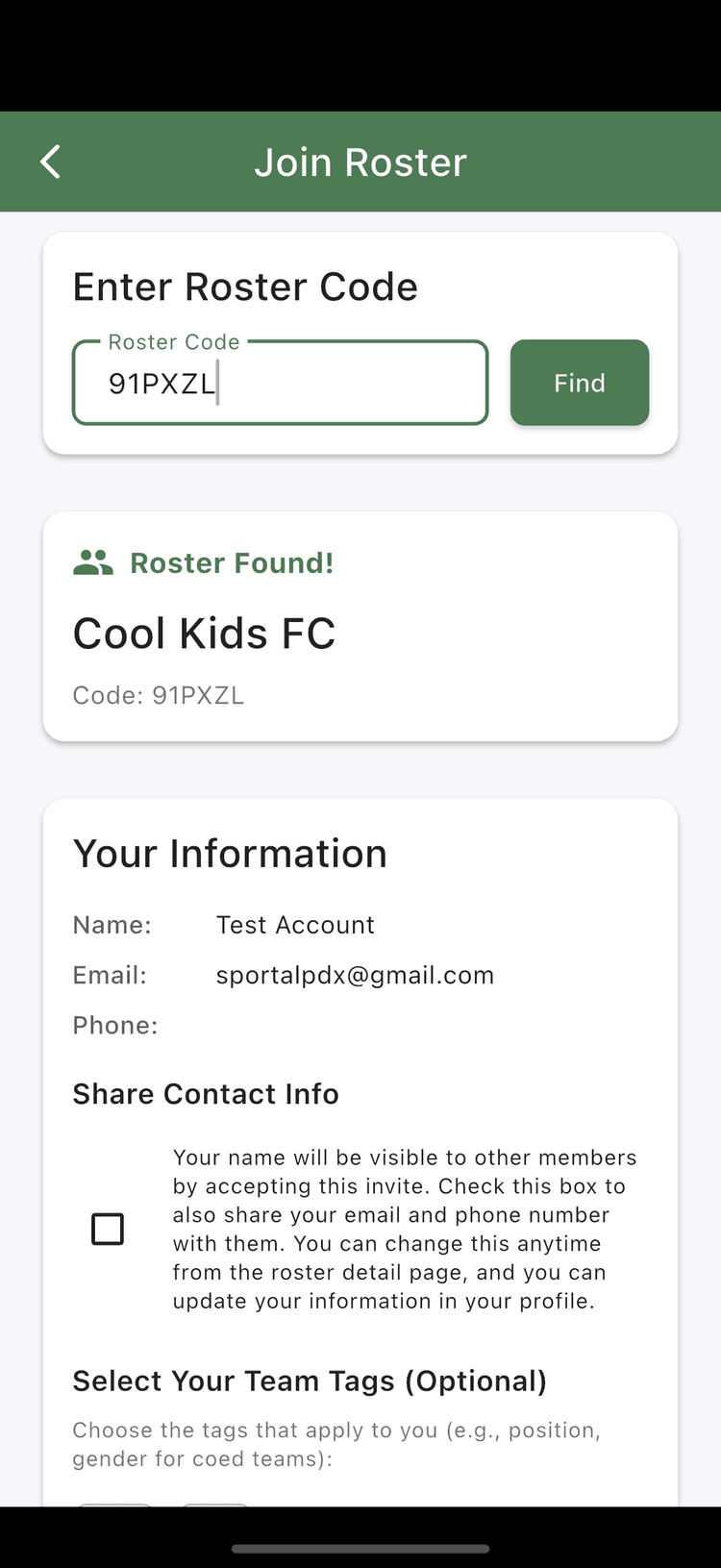
- Open the link sent via text from your manager. This opens the Join Roster screen automatically
- Or go to the Rosters tab, tap "Join Roster," and enter the 6-character code from your manager
- You'll now be a member of the roster. You can view the profile or edit your roster membership
Creating Your Own Roster
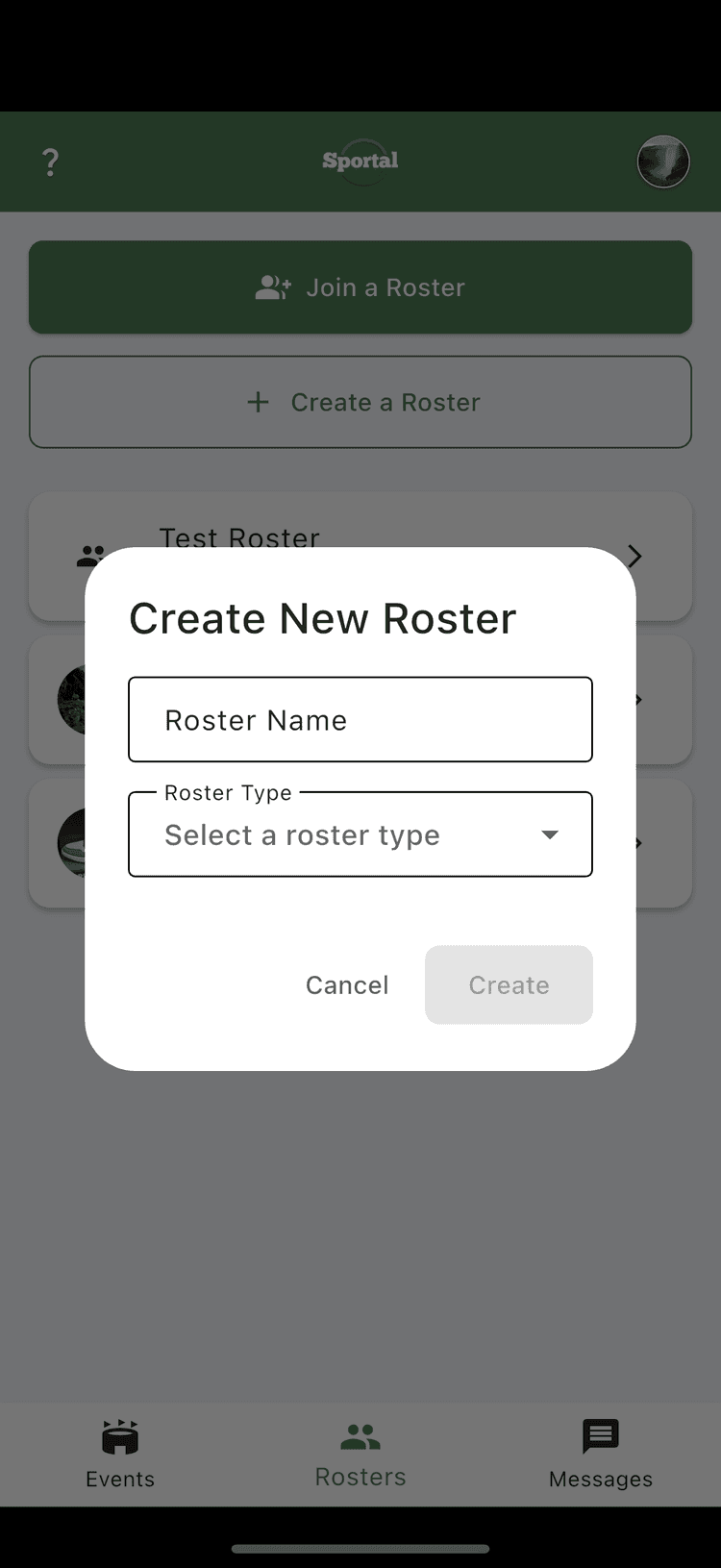
- Tap "Create Roster" from the Rosters tab
- Add a name and choose a roster type: Team Roster or Pickup Roster (see the details below)
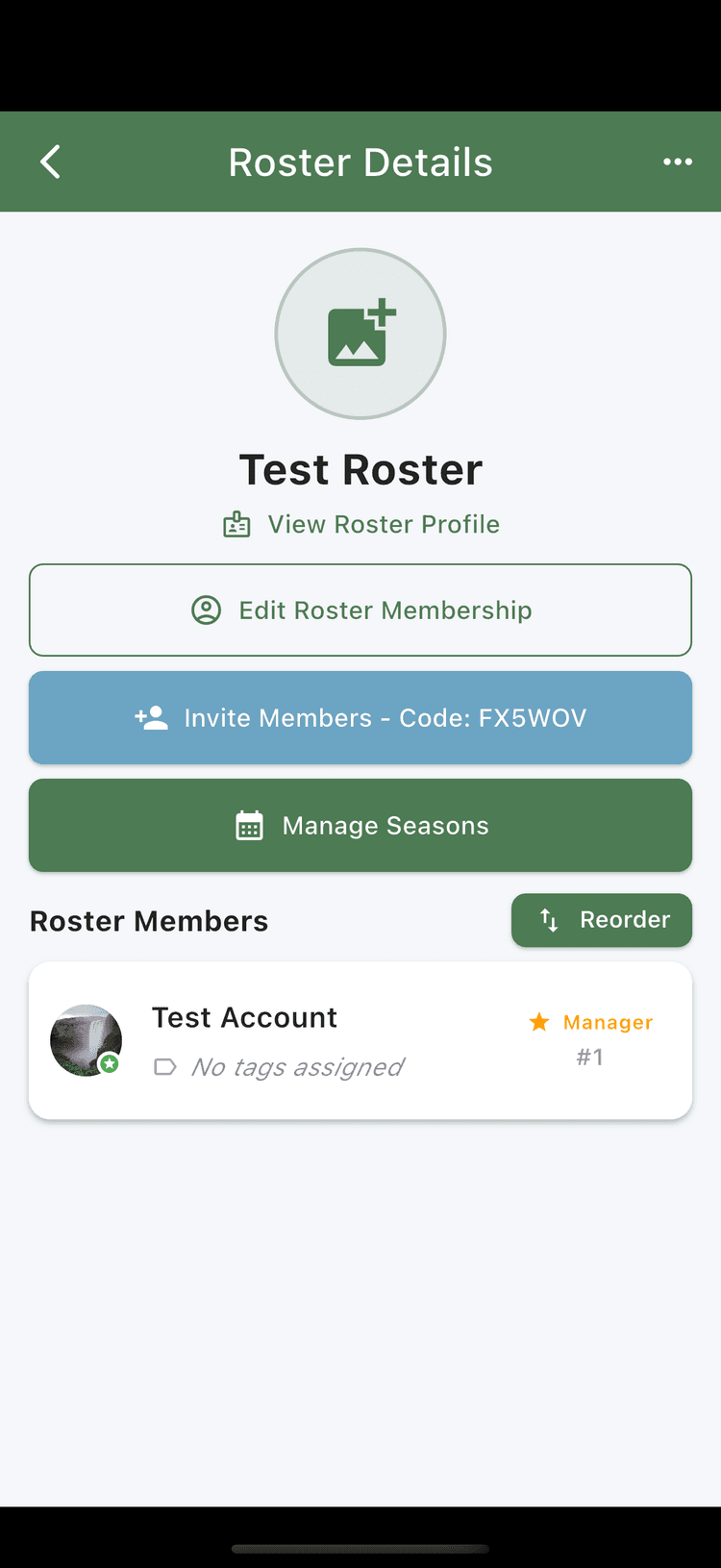
- Your roster is created. From there you can:
- Update the roster profile with a description, links, and an image
- Invite roster members
- Manage member rank and roles
Team vs Pickup Rosters
Team Rosters (Advanced)
- • Perfect for organized teams and leagues
- • Create seasons
- • Manage opponent notes and history
- • Track season dues
- • Create position tags (Forward, Goalie, etc.)
- • Track member roles and status
Pickup Rosters (Simple)
- • Great for casual pickup groups
- • Flat membership structure
- • Simple ranked member lists
- • Easy to organize and manage
- • Perfect for regular pickup games
Create an Event
Organize games, practices, pickups, or team socials
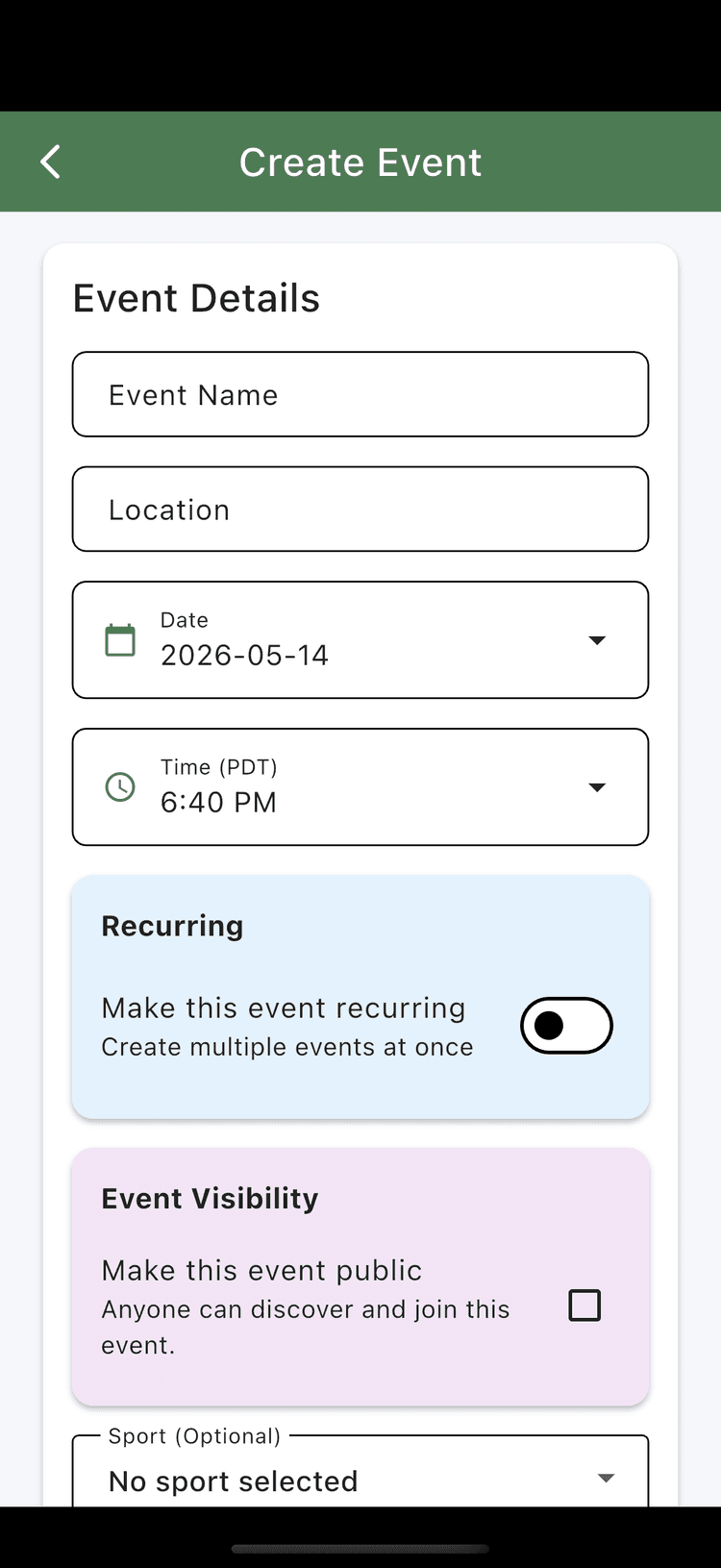
- Tap "Create Event" on the home screen
- Add event details: name, sport, date, time, location, description, whether it's public or private, paid or free, recurring, and whether to show the manager's contact info
- Then either:
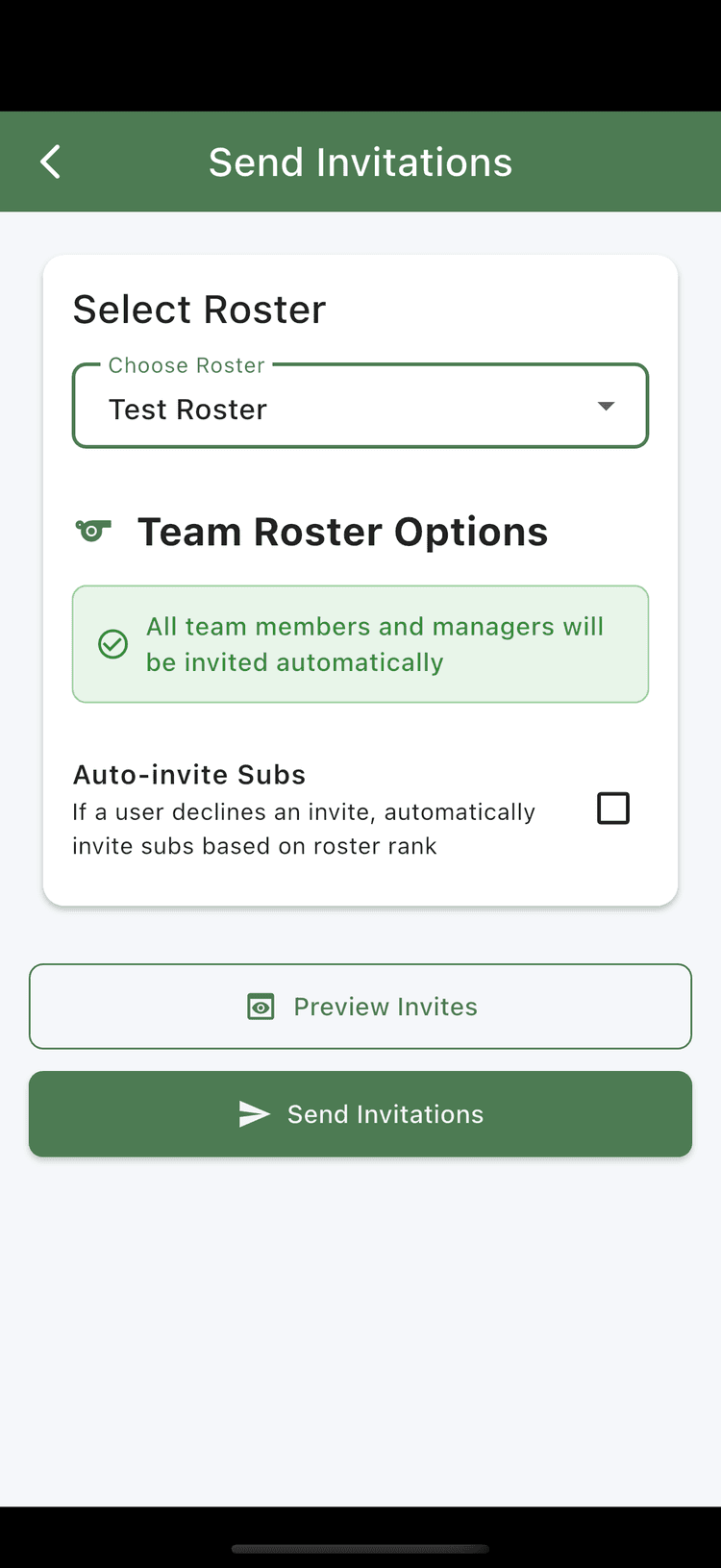
- If the event is private, send invitations to a roster, set up invite preferences, and max attendees
- If the event is public, start sharing right away: send it to a roster, text it to a friend, or share it on Facebook or Instagram
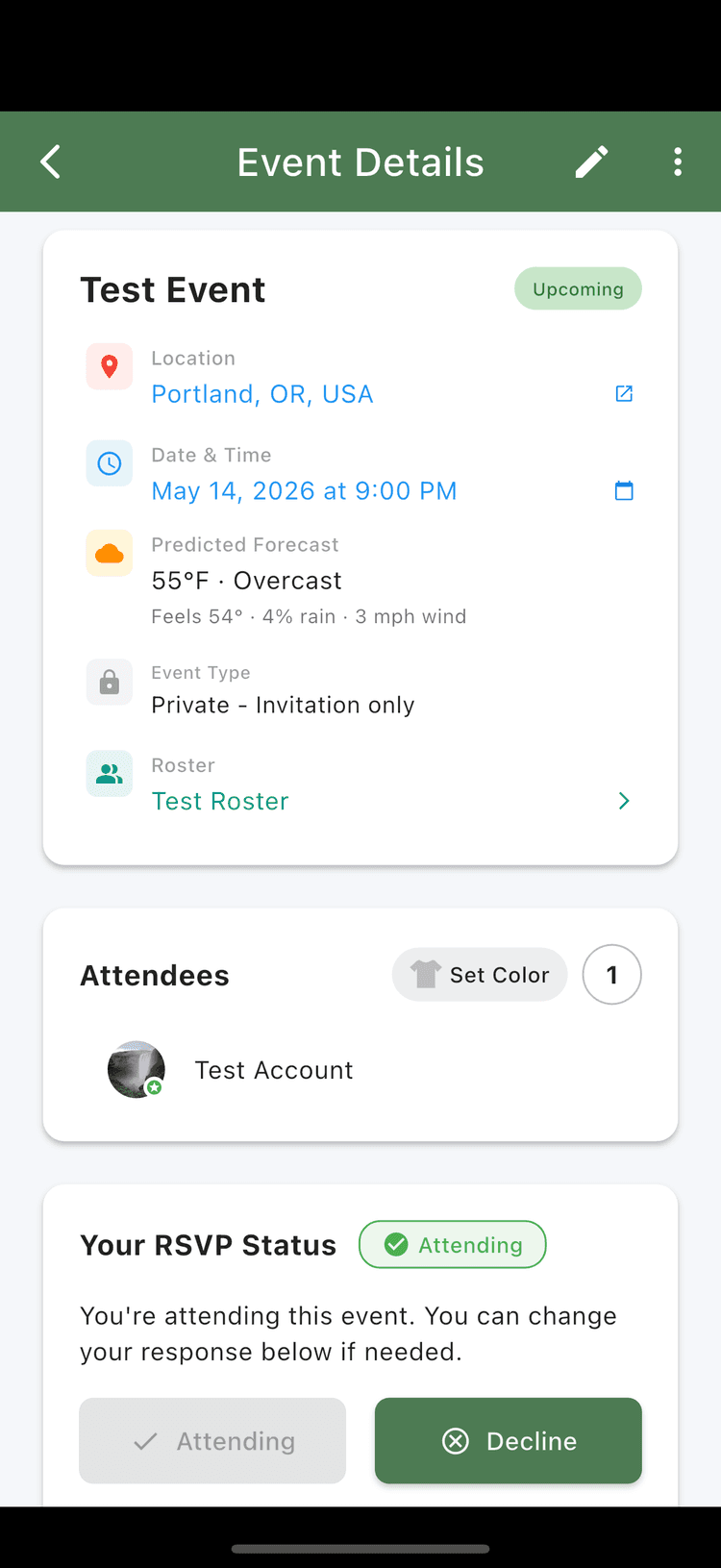
Private Events
Best for team practices and roster-only games
- • Only visible to your roster members
- • Invite entire roster or specific players
- • Great for team practices and league games
Public Events
Perfect for pickup games and meeting new players
- • Discoverable by players in your area
- • Anyone can request to join
- • Ideal for pickup games and casual play
Find Pickup Games
Discover games and events in your area
Don't have a roster yet? No problem! Use Sportal to find pickup games and events that other people have organized in your area.
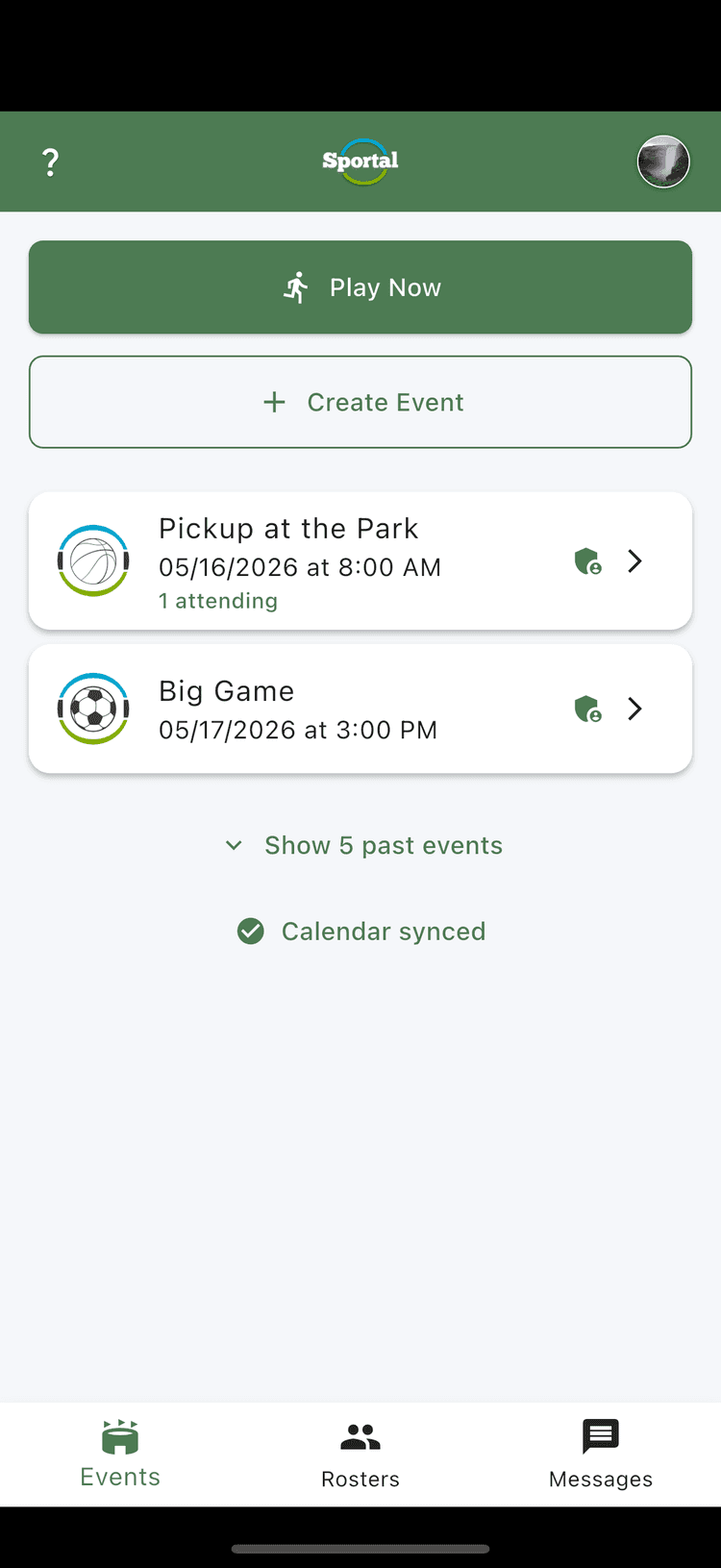
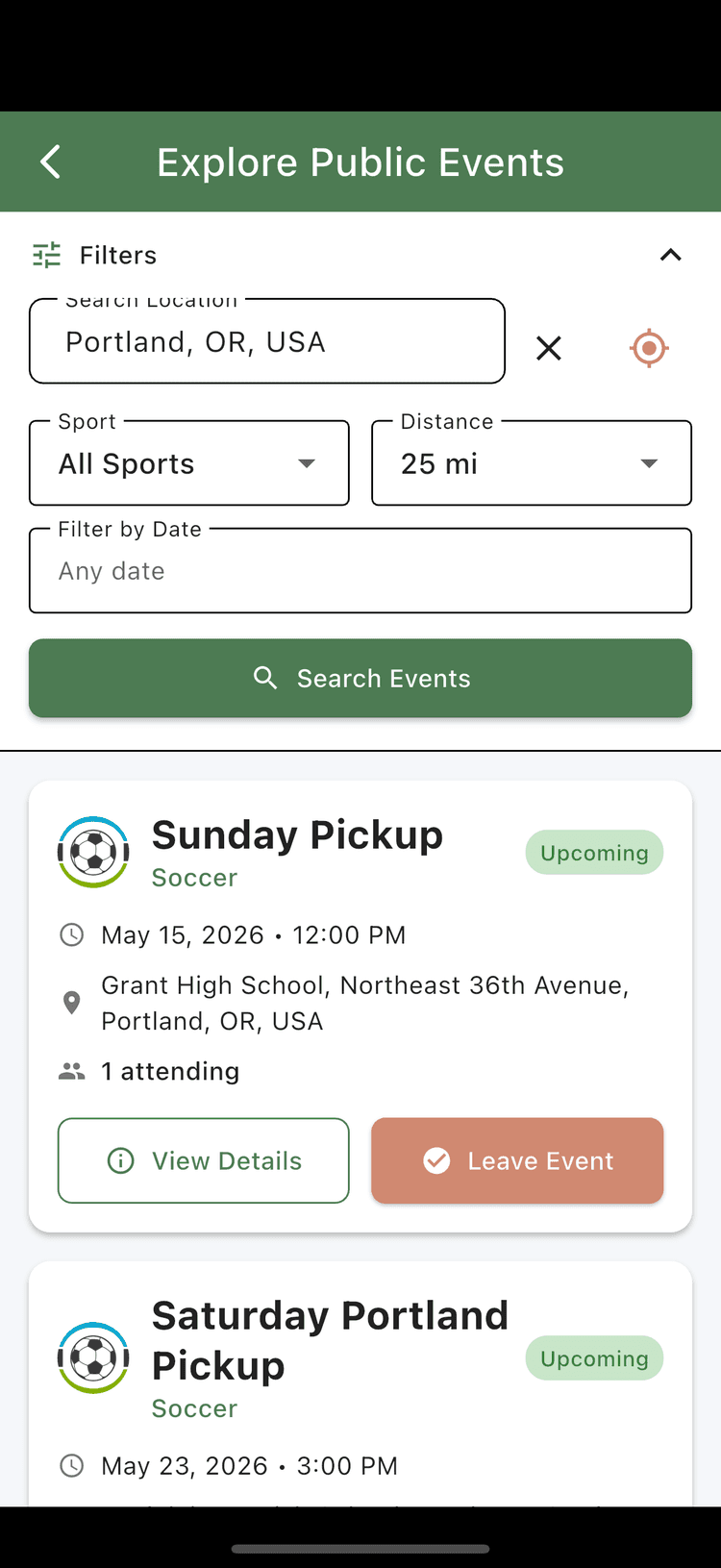
- Tap "Play Now" from the dashboard tab
- Choose a sport
- Set your distance (1-25 miles)
- Filter by date
- Browse available games to see location, time, and player count
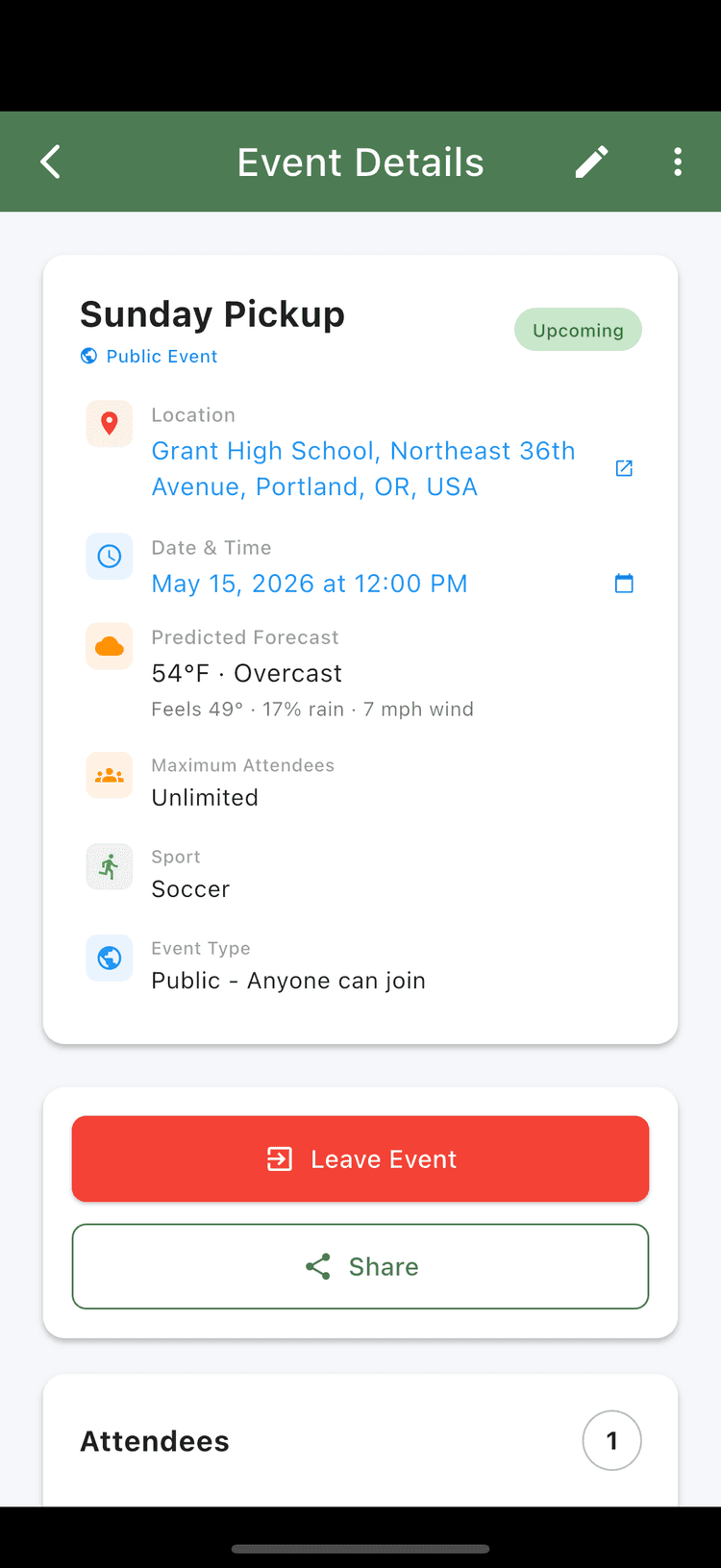
- Tap on an event to see details and join instantly
Create a Season
Track your team across an entire season
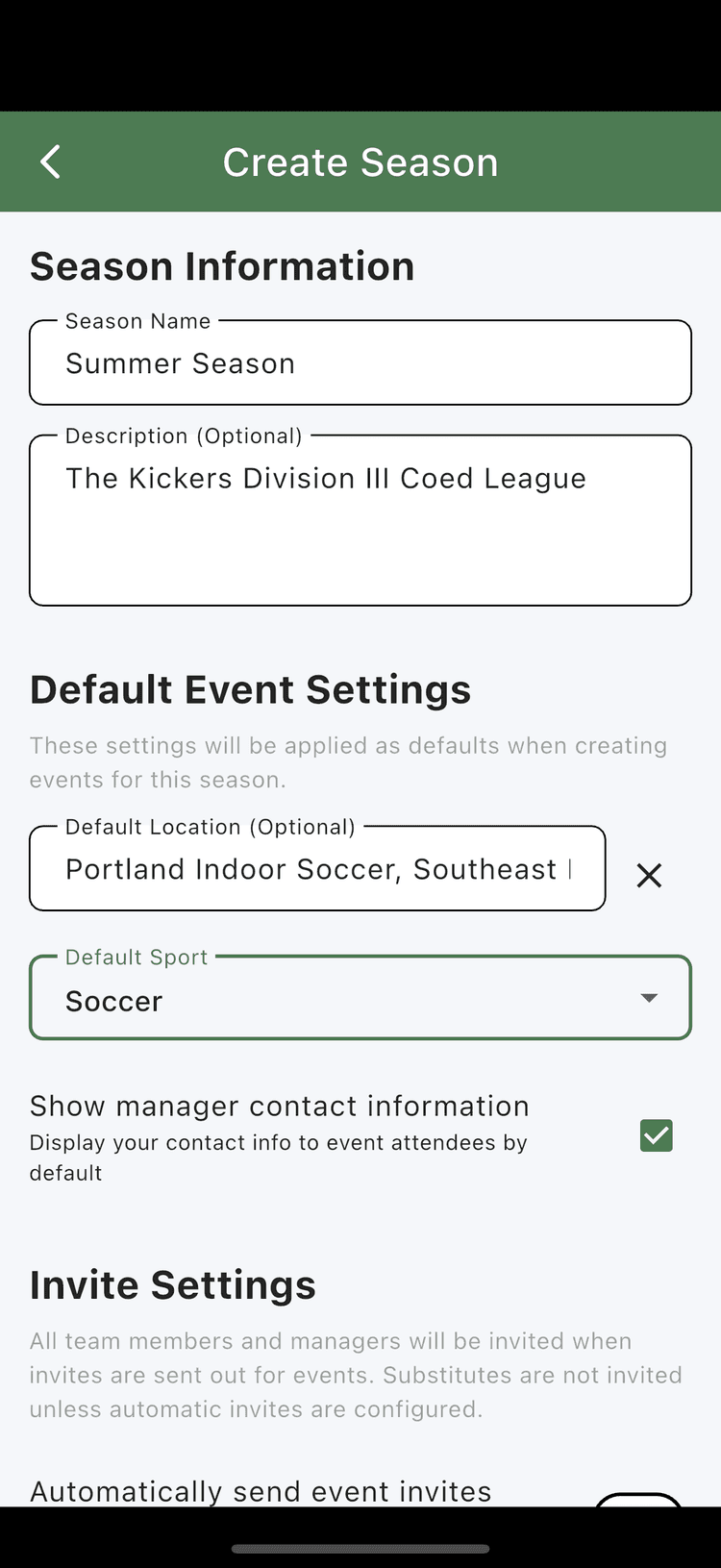
Seasons are available on Team Rosters only, and you must be a manager of the roster to create one.
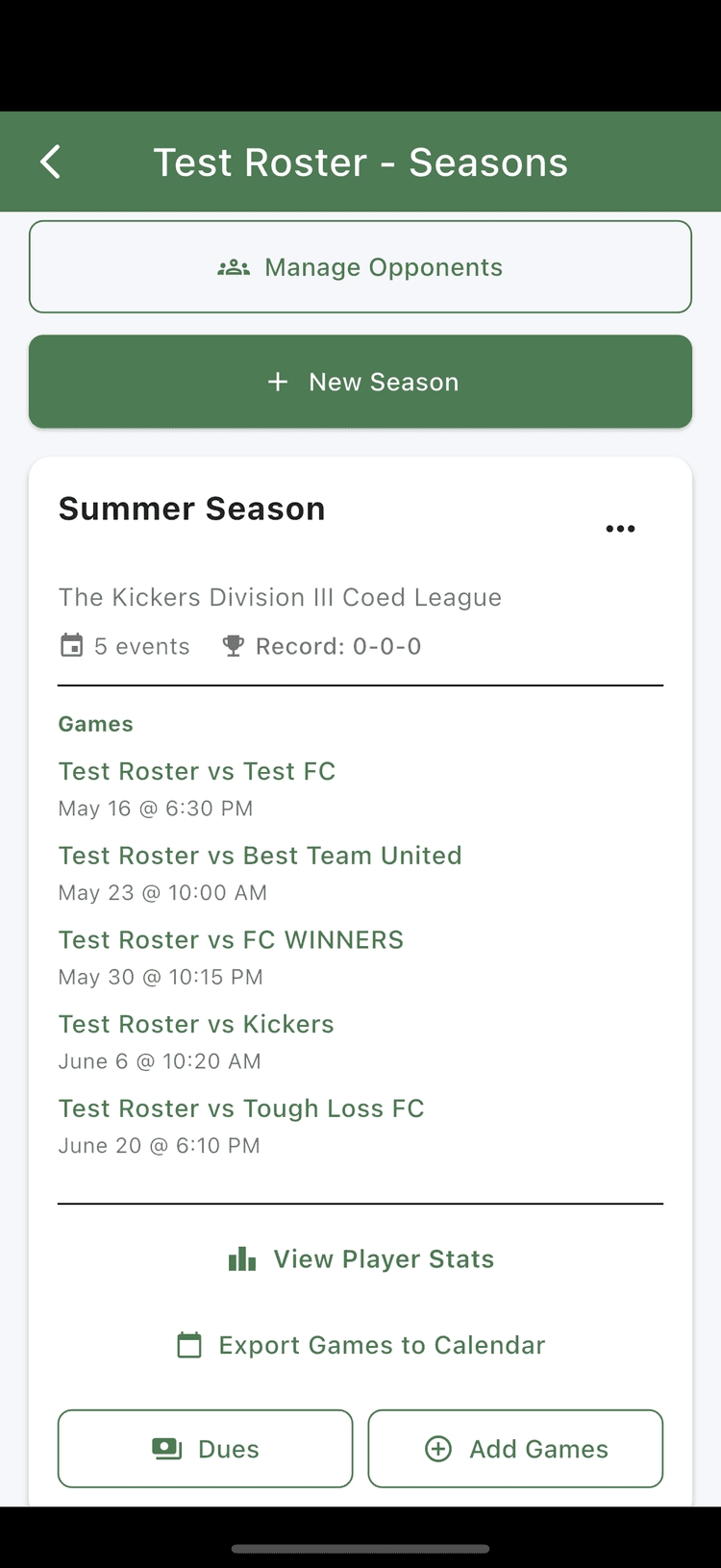
- Open your Team Roster and tap "Manage Seasons," then "+ New Season"
- Create a new season, set default sport, location, and configure invite settings
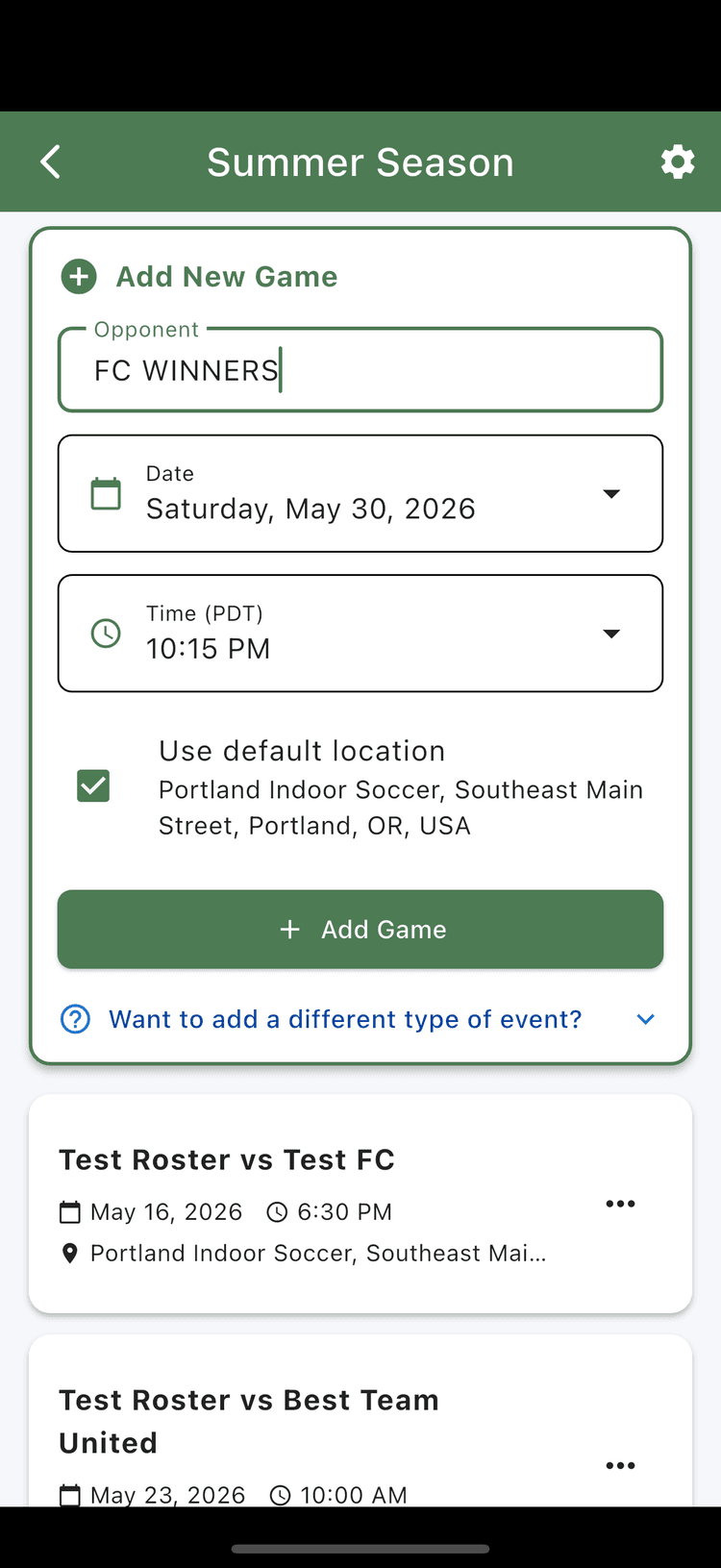
- Add games using your default preferences
- Add opponents and keep notes on each one
- Track dues and payment status for each player
Note: all games in the season show up on the Events tab for team roster members and managers.
More
Other things you can do in the app
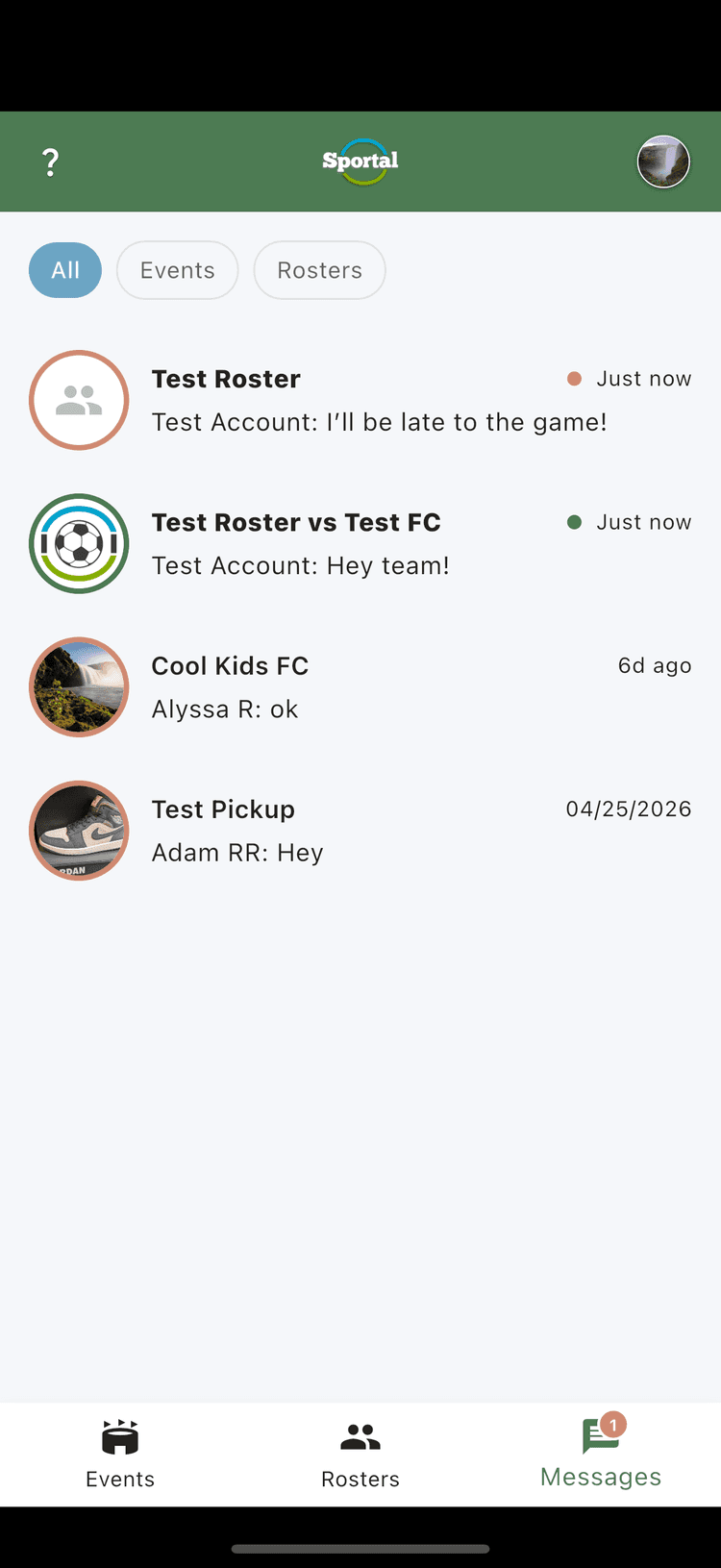
Messaging
Chat with your roster or event group to coordinate logistics, share updates, and post reminders.
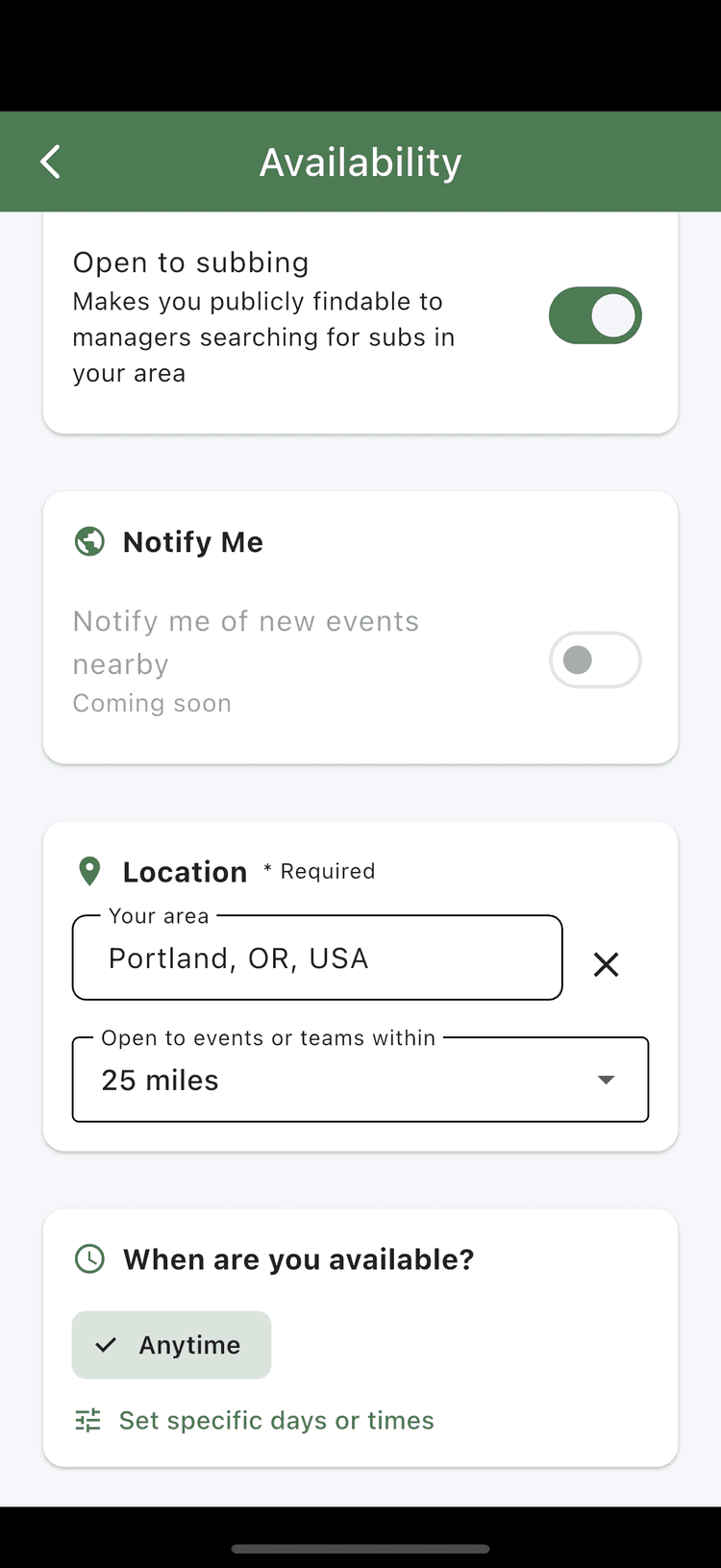
Availability Settings
Set when you're available to play so managers looking for subs can find you.
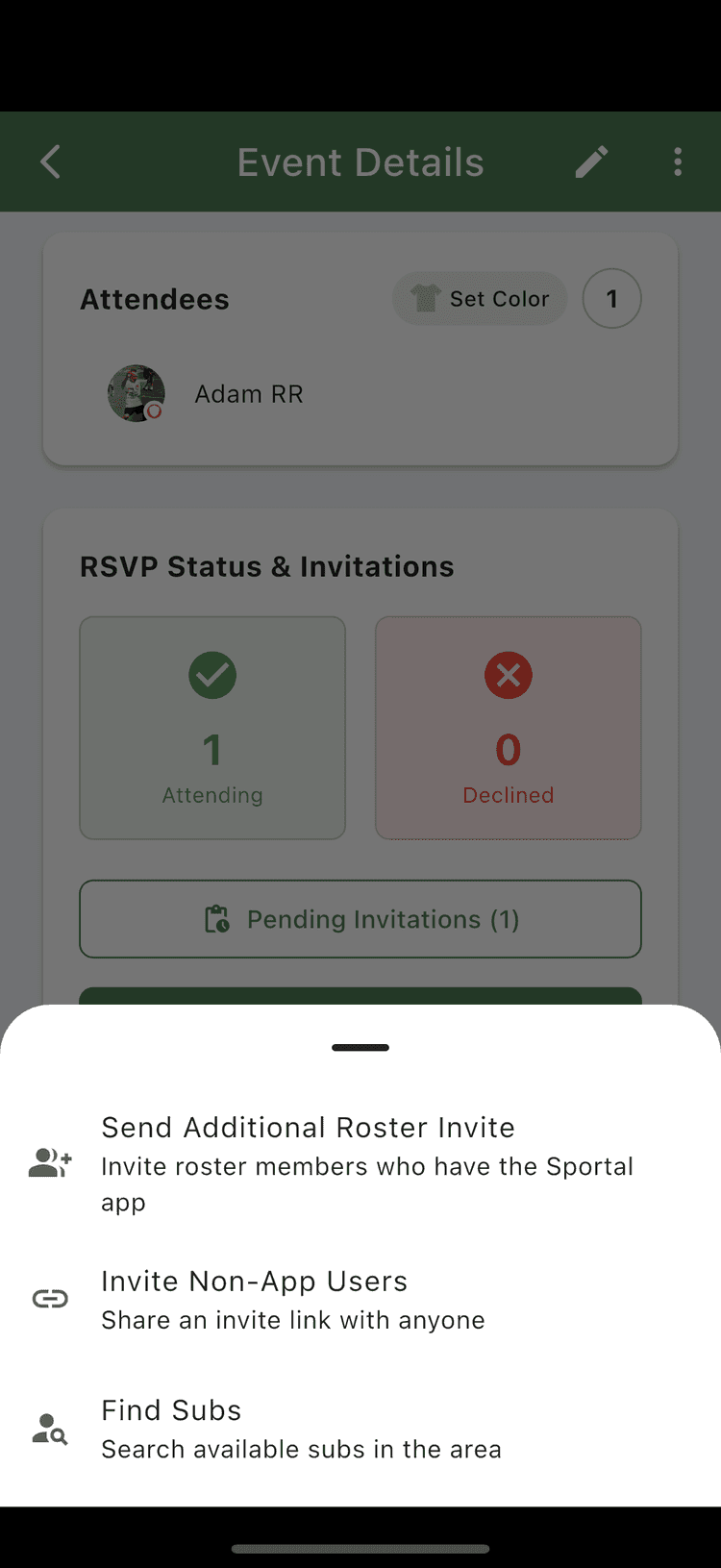
Managing Invites
Invite additional roster members, send invites to non-app users, or find subs from the public.
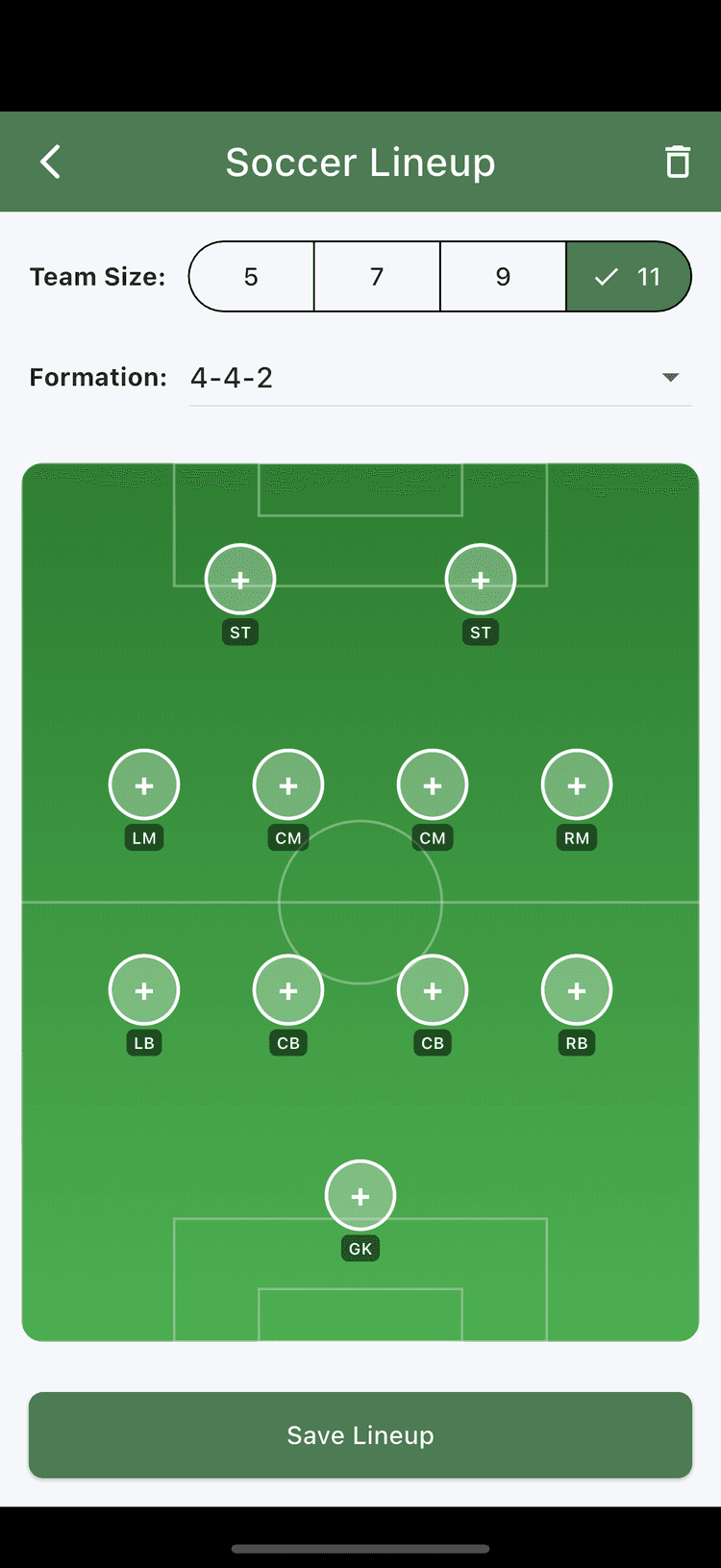
Set Lineups
Build lineups for soccer, basketball, or baseball with the right formation and positions.
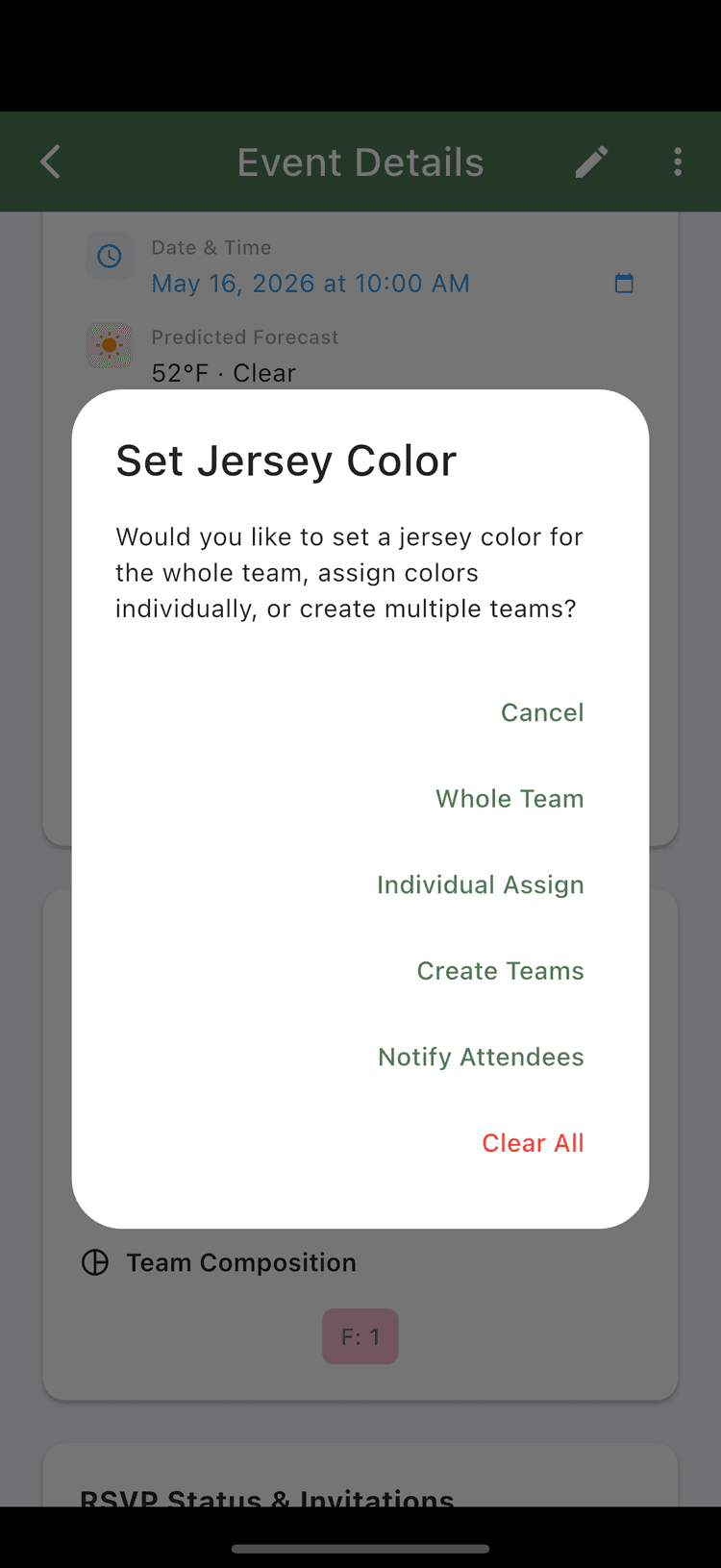
Set Uniforms / Jerseys
Create teams, assign the whole team a color, or manually pick colors for each player.
Sync Your Calendar
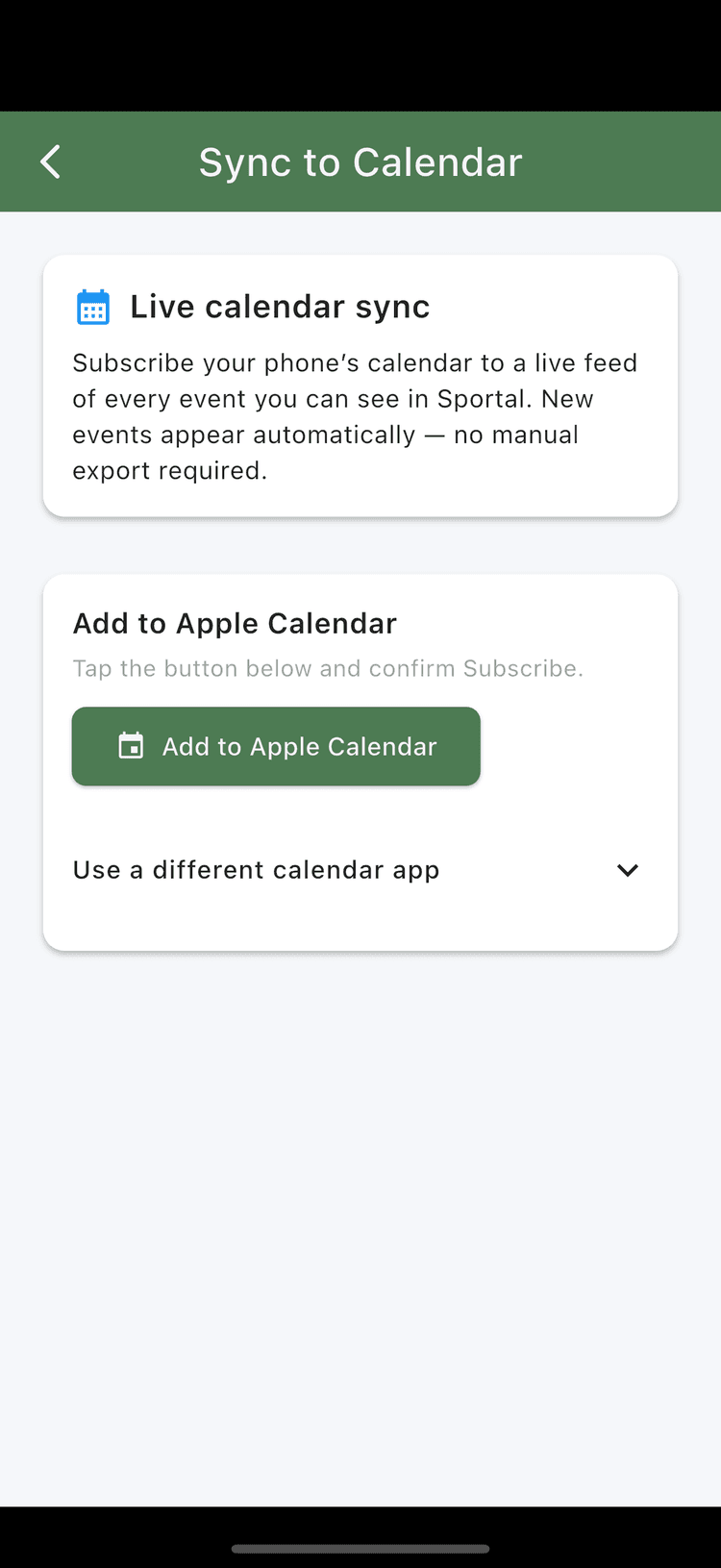
Connect Apple Calendar, Google Calendar, or Outlook to keep your events in sync.
FAQ
Answers to common questions
Do I need to pay money to use this app?+
No! Sportal is free to use and all core roster management functionality is completely free. There are optional paid tiers that unlock extras like text notifications and premium roster management features, but all core features are available for free.
How do I join a roster?+
You need a roster code from the roster manager. Usually this is sent to you directly via text message from your roster manager. Tap "Join a Roster" on the Rosters tab and enter the code. You can also join by opening a shared invite link.
What is the difference between a team and a pickup roster?+
Team rosters are more complex and let you assign roles (manager, member, sub), and create full seasons. Pickup rosters are simpler: players are all in one group (there are only members and managers), and you generally create individual or recurring events instead of seasons. Both types of rosters have the same core communication features, so it just depends on how you want to organize your group. You can have as many rosters as you want, so some groups use a mix of both team and pickup rosters to organize different parts of their social sports lives. After you create a roster, you can change the type at any time in the roster settings.
How do I create an event?+
Tap "Create Event" on the Events tab. Fill in the details like name, location, date/time, and sport. You can make events public so anyone can find them in the Play Now section of the app, or private and invite roster members.
How do invites work?+
When you create an event, you can send invites to members of your rosters. Invited players receive a notification and can accept or decline. The event organizer can see who has responded and track attendance. For team rosters with seasons, invites can be sent automatically based on rankings.
How do I find pickup games near me?+
Tap "Play Now" on the Events tab. You can search by location, sport, and distance to find games in your area.
What are public vs private events?+
Public events are visible to anyone searching in the area. Private events are only visible to people you invite from your roster.
How do payments work?+
Event organizers can set a cost for events and link their Venmo, PayPal, or CashApp. Players can mark themselves as paid, and managers can track who has paid. There is currently no payment processing within the app, so all payments are handled externally between players and organizers.
My roster invites aren't going to who I expected. What's wrong?+
How invites work depends on your roster type.
Pickup rosters: Invites go out based on ranked position in the roster list. Players at the top get invited first, filling spots until the attendee cap is reached. Reorder your roster to control who gets priority.
Team rosters: Members have roles: manager, member, and sub. When sending invites from a season, all members are invited first, then subs fill any remaining spots based on rank.
Check these common issues:
- Make sure players are set to the correct role (member vs sub). Subs are only invited if there are open spots after all members.
- Check the rank order on your roster. Rank determines invite priority for both roster types.
- Verify the attendee cap on your event. If it's too low, not everyone will be invited.
Tip: use the invite preview before sending to confirm the right people are being invited.